Free House Square Footage Calculator: Measure Any Room Instantly
Our free house square footage calculator makes it easy to measure the total area of any room, floor, or entire home. Whether you are preparing a real estate listing, planning a flooring project, or estimating renovation costs, enter the room dimensions once and get an instant result with support for multiple rooms, irregular shapes, and whole-home totals.
Keep every bedroom, bath, hall, office, and garage in one running house total.
Use the 10 supported shapes or split awkward rooms into smaller sections when needed.
Label rooms by floor and total the finished area without moving into a spreadsheet.
Switch units, copy totals, share the room list, and export a printable summary from the same tool.

Whole-home square footage is only reliable when each room stays visible, the units stay consistent, and the total can be reviewed later. That matters for listings, renovation bids, appraisals, material planning, and any project where someone else needs to verify how the number was assembled.
House Square Footage Calculator
Use single-room mode for one room or switch to multi-room mode to total a whole house, one floor, or a room-by-room renovation scope.
Rectangle inputs
Length x width for rooms, slabs, and patios.
Result
That is enough floor area for a medium living room plus two average bedrooms.
Live SVG preview
The shape scales to match your measurements, updates labels instantly, and keeps the grid in sync.
Built for more than rectangles
Rectangle, L-shape, circle, and seven more layouts cover the room geometry installers actually run into.
The saved link keeps your shape, unit, room list, and flooring estimate attached to the same setup.
Add room after room and keep one running total without pushing the project into a spreadsheet.
How to Use the Square Footage Calculator
A house square footage calculator is most useful when it works for both one room and a whole-home total. Start by choosing whether you need a single room measurement or a room-by-room house total. If you only need one bedroom, office, garage, or studio, single-room mode keeps the shape math visible. If you need the total square footage of an entire home, multi-room mode is the cleaner workflow because each room remains visible in the list.
The best habit is to keep every measurement in one unit, label rooms clearly, and add spaces floor by floor if the house spans several levels. That makes the total easier to audit later, which is especially important for listings, renovation scopes, and contractor reviews.
- Step 1
Select your room shape or switch directly into multi-room mode.
- Step 2
Enter the length and width, or the relevant dimensions, in feet or meters.
- Step 3
Click add room when you need a square footage calculator for multiple rooms.
- Step 4
Review the total square footage instantly, then copy, share, or print the result.
Square Footage Calculator for Different Areas
The same calculator can serve several very different jobs. Some users only need one room area. Others need a total house square footage calculator for listings, a square footage calculator for irregular rooms during remodeling, or a running total across two finished floors and a basement. The key is choosing the workflow that matches the reporting goal.
Single Room Square Footage Calculator
Use single-room mode when you want the area of one bedroom, office, garage, or bonus room before adding anything else. This is the cleanest way to validate the dimensions of one room and confirm the shape formula before it becomes part of a whole-house total.
Multiple Rooms Square Footage Calculator
Use multi-room mode when the job is really a house total rather than a single room. Each room stays visible in the list, which makes it easier to review bedroom counts, compare room sizes, and explain how the total was assembled for listing, appraisal, or renovation planning.
Irregular Room Square Footage Calculator
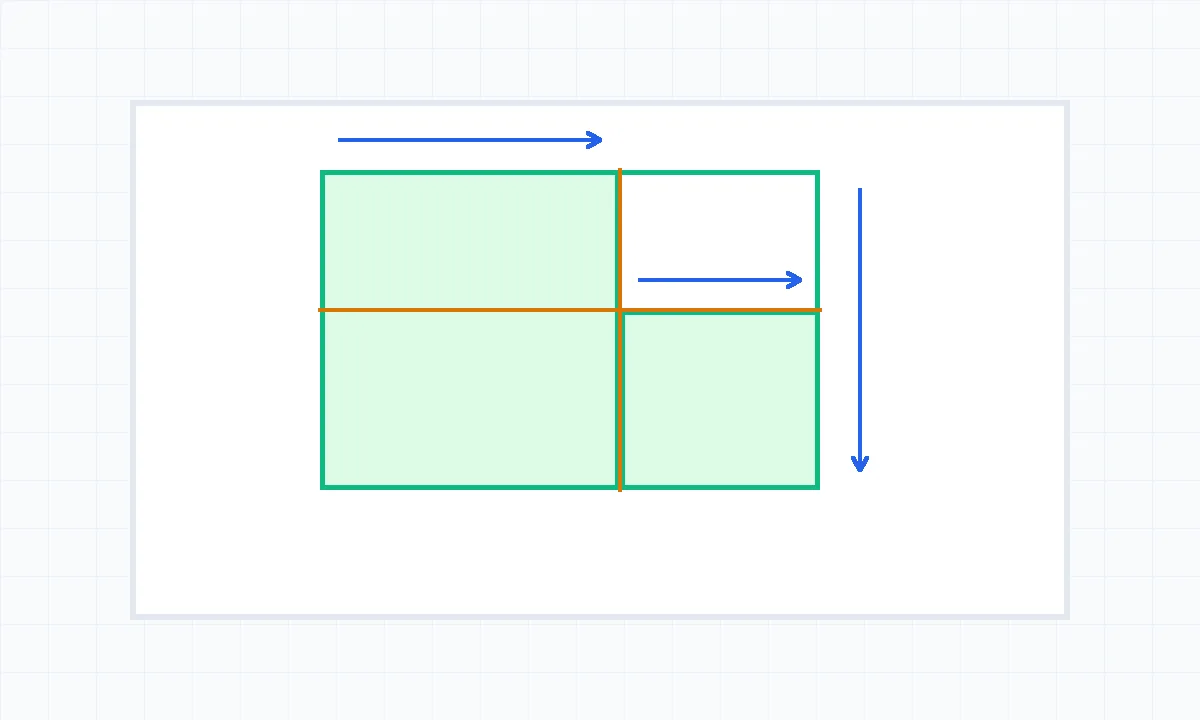
Irregular rooms need more than one measurement pair. L-shaped kitchens, open-plan dining areas, angled basements, and rooms with alcoves should be split into smaller sections so the final area comes from clear geometry instead of guesswork.
Square Footage Calculator for Multiple Floors
A whole-home total often spans the main floor, upper floor, basement, attic conversion, or finished bonus space. The practical approach is to label rooms by floor in multi-room mode, then subtotal or combine them depending on whether you need finished living area, renovation scope, or a full building measurement.

How to Calculate Square Footage of a House (Step-by-Step)
Step 1: Measure the Length and Width
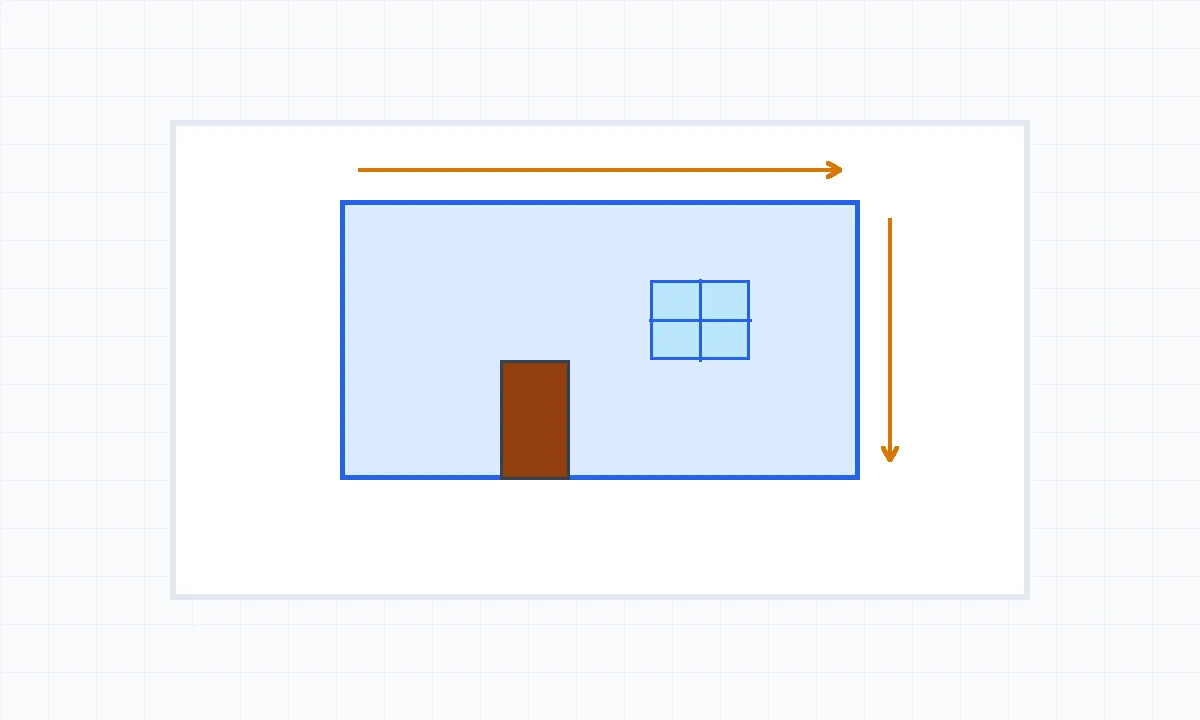
Measure each room carefully in the same unit. Feet are common for U.S. house calculations, but meters work just as well if you keep the whole room list consistent. The point is to build one clean set of room dimensions before you calculate anything.
Step 2: Calculate Each Room's Area
Multiply length by width for rectangles and squares. For triangles, use base times height divided by two. For L-shaped and irregular rooms, split the layout into simple sections and calculate each one separately. This is the same logic used in a square footage calculator for irregular rooms.
Step 3: Add All Rooms Together
Once each room area is correct, add them together for the house total. If the home has multiple floors, keep those labels visible in the room names so you can subtotal by level or combine them into one whole-home number depending on the job.
How to Handle Irregular Shapes
The mistake to avoid is forcing an irregular room into one rough rectangle. Split the space instead. That creates a more defensible result for real estate, renovation planning, and any situation where someone else may need to check your math.
Square Footage Formula & Examples
Manual formulas still matter because they make the calculator result easier to trust. They also help when you need to explain the number to a client, an agent, a buyer, or a contractor reviewing your measurement notes.
Rectangular room
Living room: 15 ft x 12 ft = 180 sq ft
L-shaped room
Area A (10 x 8) + Area B (6 x 5) = 80 + 30 = 110 sq ft
Triangle area
Triangle nook: (8 x 6) / 2 = 24 sq ft
Whole house total
Living room + kitchen + bedrooms + baths + office = total finished house area
| Home type | Average area |
|---|---|
| Studio apartment | 400-600 sq ft |
| 1-bedroom home | 700-1,000 sq ft |
| 2-bedroom home | 1,000-1,400 sq ft |
| 3-bedroom home | 1,400-2,000 sq ft |
| 4-bedroom home | 2,000-3,000 sq ft |
| Average new US home | ~2,300 sq ft |
Why Square Footage Matters
Square Footage for Real Estate Listings
For real estate, area affects how listings are compared, how buyers interpret price per square foot, and how clearly finished living space is separated from garages, unfinished basements, and storage. A house square footage calculator is most useful when it produces a number that can be explained room by room instead of treated like a mystery total.
Square Footage for Flooring & Renovation
Renovation budgets begin with area. Once you know the footprint of each room, you can move into the flooring calculator, the calculate how many tiles you need workflow, or the paint calculator for your room. Area is the base number that every material estimate depends on.
Square Footage for HVAC & Energy Estimates
Area is not the only factor in heating and cooling design, but it is still one of the first sizing signals used in rough planning. Room count, ceiling height, insulation, orientation, and window area all matter too, yet the starting point is still a trustworthy measure of the conditioned space across the whole house or by floor.
Frequently Asked Questions
How do I calculate the square footage of my house?
+
Measure the length and width of each finished room in feet, multiply those dimensions to get each room area, and then add all finished room areas together for the house total. This is the cleanest method because it keeps every room visible in the same list instead of guessing from the outside footprint alone. A house square footage calculator helps by storing each room separately, handling irregular shapes, and keeping the running total updated as you add or revise measurements.
What is the average square footage of a house in the US?
+
A commonly cited recent benchmark for a new single-family home in the United States is around 2,300 square feet, but the useful comparison depends on the home type and market. Studios, compact starter homes, suburban family homes, and large custom builds all sit in very different ranges. The more practical takeaway is not the national average itself, but how your measured total compares with similar homes in the same category, neighborhood, or listing set.
Does square footage include the garage and basement?
+
That depends on the purpose of the measurement. For real estate listings, finished living area is usually the main number, while unfinished basements, garages, mechanical rooms, and some enclosed porches are often reported separately. Local listing standards and appraisal practices can vary, so it is important to label those spaces clearly instead of blending them into the same total without explanation. A calculator is accurate at the room level, but the inclusion rules still depend on your reporting standard.
How do I measure an irregular-shaped room?
+
Break the irregular room into simple shapes such as rectangles, triangles, or a pair of connected sections. Measure each section separately, calculate the area of each section, and then add them together. This is the standard way to handle L-shaped rooms, bay-window spaces, bonus rooms, and open plans with alcoves. The main goal is not finding one perfect all-in-one dimension, but preserving a measurement trail that someone else can review later.
What is the difference between gross square footage and net square footage?
+
Gross square footage usually refers to the full measured area inside the broader footprint being reported, while net square footage is a more selective number that excludes certain non-usable or non-living areas depending on the context. In commercial settings, the distinction can be formal and tied to lease standards. In residential work, the key point is clarity: say exactly what is included, especially if garages, unfinished basements, storage rooms, or shared circulation areas are being treated separately.
How accurate is a square footage calculator?
+
The calculator can be very accurate if the measurements entered are accurate and the correct shape formula is used. Most errors come from measuring the wrong edges, mixing units, rounding too early, or forcing an irregular room into a simple rectangle. A strong workflow is to measure carefully, keep every room in the same unit, review the live preview for the single-room shapes, and double-check whether you are reporting finished living area, whole-house footprint, or a room-by-room renovation total.
Related tools for measurement, flooring, paint, and tile
Flooring Calculator - Material + Cost Estimate
Use the flooring calculator when house square footage turns into material orders and waste planning.
Paint Calculator
Use the paint calculator for wall area, ceiling paint, primer, and room-by-room gallon estimates.
Tile Calculator
Use the tile calculator to calculate how many tiles you need after the room or floor area is measured.
How To Calculate Square Footage
Read the step-by-step guide when you need the formulas behind rectangles, circles, and irregular rooms.